
Your own salon booking app vs a booking platform: a UK owner's guide
A salon booking app lets clients pick a service, a stylist and a time on their phone, any time of day, while you get a diary that fills itself. In the UK you've broadly got two routes: sign up to a booking platform, or have a booking app built with your own salon's name on it. Both can work well. Which suits you depends on how you get new clients, how much control you want, and how your salon actually runs.
This guide walks through both options honestly, what to check before you choose, and the features that make the biggest difference day to day: deposits, reminders and an easy staff diary.
Why move bookings online at all?
If you're still taking most bookings by phone, text and Instagram DM, you'll know the problems:
- You can't answer the phone with a client in the chair, so some callers simply book somewhere else.
- Messages come in at 11pm and sit there until morning.
- Times get double-booked or written in the wrong column.
- Clients forget, and there's no easy way to remind everyone.
Online booking doesn't fix everything, but it takes the back-and-forth out of the simple bookings. You still talk to clients. You just don't spend your breaks playing message tennis.
Option 1: a booking platform
There are well-known UK booking platforms built for salons, barbers and beauty businesses. Typically you sign up, add your services and staff, and get a booking link to share.
What platforms do well - Quick to start. You can often be taking bookings the same day. - Lots of features built up over years: reminders, deposits, client records, reports. - Marketplaces. Some platforms list you in a consumer app or website, which can bring new clients.
What to check before you sign up - How fees work. Monthly fees, per-staff fees, card fees, SMS credits, and any commission on new clients sent through a marketplace all vary a lot between platforms. Read the pricing page carefully and work it out for your team size. - Whose brand clients see. On some platforms the booking page, emails and app carry the platform's branding as much as yours, and clients may see other salons nearby. - Your client data. Can you export your client list and booking history if you leave? - Fit. If your services, durations or deposit rules are unusual, check the platform can handle them without workarounds.
Option 2: your own branded booking app
The other route is a booking app made for your salon: your name, logo and colours, on your own web address, set up around your services and your staff.
What an own-brand app does well - Clients only see you. No other salons and no marketplace next to your booking page. - Built around how you work. Service lengths, processing time, staff who only do certain treatments, a Saturday-only chair, your own deposit rules. - Room to grow. Want to add a loyalty card, gift vouchers, a consultation form or an AI assistant that answers common questions? It can be added to the same app. - Your data stays yours, on your own system.
What to weigh up - Set-up takes longer than signing up to a platform, because it's built and branded for you. - No marketplace, so new clients come from your own channels: Instagram, Facebook, Google and word of mouth. - Someone has to look after it, with hosting, updates and fixes. Ask who does that and what's included.
A quick way to decide
| If this sounds like you… | Lean towards |
|---|---|
| You're just starting out and want new clients from a marketplace | A booking platform |
| You want to be live this week with minimal fuss | A booking platform |
| Most of your clients are regulars or come from your own socials | Your own branded app |
| Your services, rules or team set-up don't fit standard software | Your own branded app |
| You want booking, loyalty, forms and messaging in one place with your name on it | Your own branded app |
Plenty of salons start on a platform and move to their own app once they've built up a loyal client base. That's a perfectly sensible path.
The features that matter most
Whichever route you choose, these are the features that make the biggest day-to-day difference.
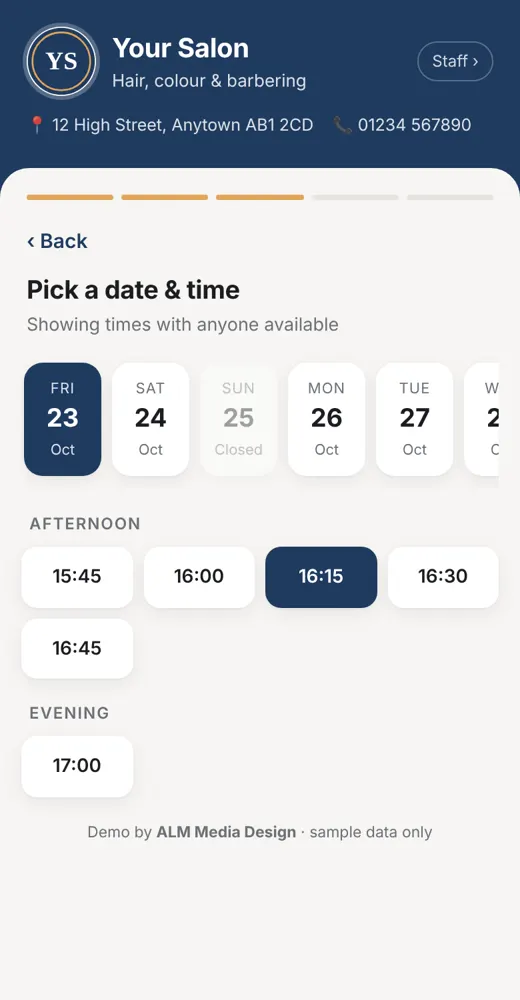
1. Clients book themselves, any time
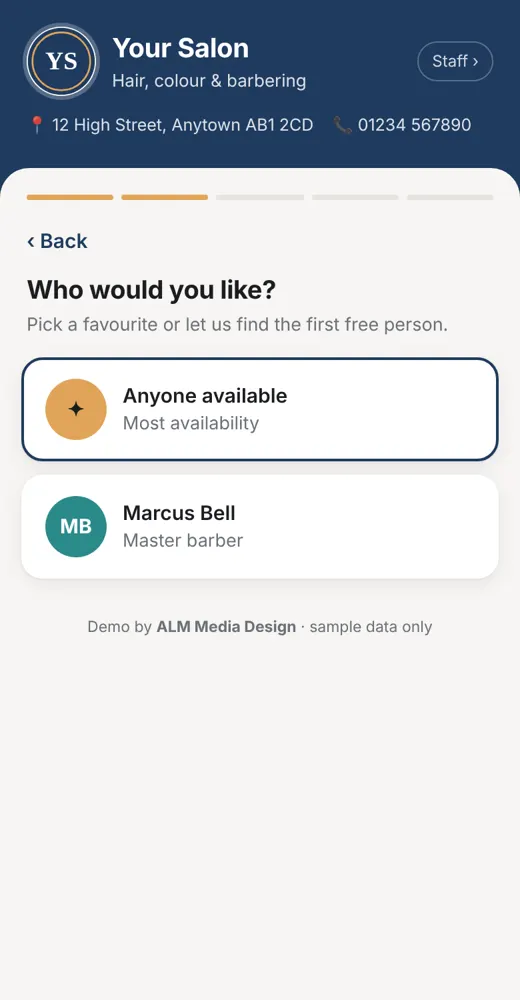
Clients choose a service, a stylist (or "anyone") and a free slot. The app should only show times that genuinely fit: your opening hours, the length of the service, and who's working.
2. Deposits for longer or high-demand appointments
A deposit gives clients a reason to turn up or let you know in good time. Keep the rules simple and visible: which services need one, how much notice clients need to give to move or cancel, and what happens to the deposit if they don't. Show the policy before they book, not after.
3. Reminders
An automatic reminder the day before, by text or email, is one of the simplest ways to cut forgotten appointments. Add a "need to move it?" link, so clients reschedule instead of just not turning up.
4. A staff diary you can actually move things around in
You'll still get phone calls and walk-ins. Staff need to add a booking in seconds, drag one to another time or person, and see the whole team's day at a glance.
5. Answers for the questions you get all the time
"Are you open Sunday?" "Do you do balayage?" "Is there parking?" A simple FAQ page or an AI booking assistant can answer the common ones and pass anything else to you. (Our guide to AI chatbots for small businesses explains what they can and can't do.)
Not just salons
The same set-up works for barbers (walk-ins plus bookings), dog groomers (dog size and breed change how long a groom takes), nail techs, lash and brow artists, therapists and personal trainers. Your service list and booking rules change, but the basics stay the same: clients book themselves, get reminded, and you see your day at a glance.
Frequently asked questions
What's the difference between a salon booking app and a booking system? People use the terms for the same thing: online booking for clients plus a diary for staff. "App" usually means it works nicely on a phone, either in the browser or as an installed app.
Will an online booking app stop all no-shows? No, nothing stops them all. Reminders, easy rescheduling and deposits on longer appointments usually help a lot, along with a clear policy shown before clients book.
Can I still take bookings by phone? Yes. Staff add phone and walk-in bookings straight into the same diary, so everything's in one place.
Can I move from a platform to my own app later? Usually, yes. Before you switch, export your client list and upcoming bookings, then let regulars know about your new booking link.
Do my clients need to download anything? Not necessarily. A web app works in the phone's browser from a link in your Instagram bio, Facebook Page or Google Business Profile. Some salons also want an installable app.
Do you work with salons anywhere in the UK? Yes. We work with salons and barbers right across the UK, from big cities to small towns. The demo, set-up and training are all done online, so you don't need to be nearby.
Can I see a booking app with my salon's name on it before deciding? Yes. We'll make you a free demo with your salon's name, logo and colours, using sample bookings.
See your salon's own booking app
Wherever you are in the UK, tell us how you take bookings now and what drives you mad about it. Have a look at our salon booking app page too. We'll come back with a free quote and a free demo of a booking app with your salon's branding. No obligation.
Get a free quote & demo or message us on Facebook.
- Free demo before you payWe show you a working demo with your branding first.
- UK-basedWorking with small businesses and trades UK wide.
- Fixed price, quoted up frontAgreed in writing before any work starts.
- See it before you askBrowse the example demos on this site.
Get a free quote & demo
Tell us about your business and what you need. We work with small businesses and trades UK wide, and we'll come back with a clear fixed quote and, where it makes sense, a free working demo with your own name, logo and colours.