
Construction site diary apps: what to record and how to go paperless
A construction site diary app is a phone or tablet app that replaces the paper site diary. Each day it records who was on site, what got done, the weather, deliveries, delays, visitors and photos. The entries are dated, stored by job, and easy to search or turn into a report. If you've ever tried to piece together "what happened on the 14th" from a muddy notebook and a WhatsApp group, that's the problem it solves.
This guide covers what a good site diary should include, where paper and group chats fall short, what to look for in an app, and how to switch without upsetting the people who'll be using it.
What is a site diary, and why does it matter?
A site diary is the day-by-day record of what happened on a job. Site managers, supervisors and foremen usually keep it. It's the place you go back to when someone asks:
- Why did the programme slip that week?
- Was the area handed over to us on time?
- When did that delivery actually turn up?
- Who was on site, and for how many hours?
- Was the weather bad enough to stop work?
When it's kept properly, a site diary helps with valuations, delay and variation conversations, and the end-of-week report to the client or main contractor. When it isn't, you're left relying on memory, and memory doesn't stand up well in a disagreement.
(Nothing here is legal or contractual advice. Your contract and your client's requirements decide what you have to keep and for how long.)
What should a daily site diary include?
Most contractors end up with a similar list. A useful daily entry covers:
- Date, job and area. Which site, which phase or plot.
- Labour on site. Names or operative IDs, trade, start and finish times.
- Plant and equipment. What was on site, what was used, and any breakdowns.
- Work done. Short and specific, e.g. "kerbs laid along the northern access road", not "kerbs".
- Weather. Morning and afternoon, especially rain, wind or frost that stopped work.
- Deliveries. What arrived, when, and anything short or damaged.
- Delays and problems. What happened, who was told, and what was agreed.
- Instructions and variations. Who gave the instruction, when, and what it was.
- Visitors and inspections. Client visits, building control, utility companies.
- Health and safety notes. Toolbox talks given, near misses, permits issued.
- Photos. Before, during and after, ideally with the time and date attached.
You don't need an essay every day. You need the same few facts, recorded every day, in a way you can find later.
Where paper diaries and WhatsApp groups fall down
Paper diaries and group chats are free and everyone knows how to use them. The trouble starts a few weeks later:
- Gaps. A busy day, a wet notebook or a holiday, and the entry never gets written.
- Scattered photos. Pictures sit on five different phones, mixed in with family photos, with no job attached.
- Hard to search. Finding every mention of one delivery or one instruction means flicking through pages or scrolling for ages.
- Friday afternoon chasing. Someone has to pull the week together for the client report, usually at the last minute.
- Lost context. A message saying "done" in a group chat doesn't say what, where, or who signed it off.
None of this is anyone's fault. It's just what happens when the record depends on remembering to write it up later.
What a site diary app does differently
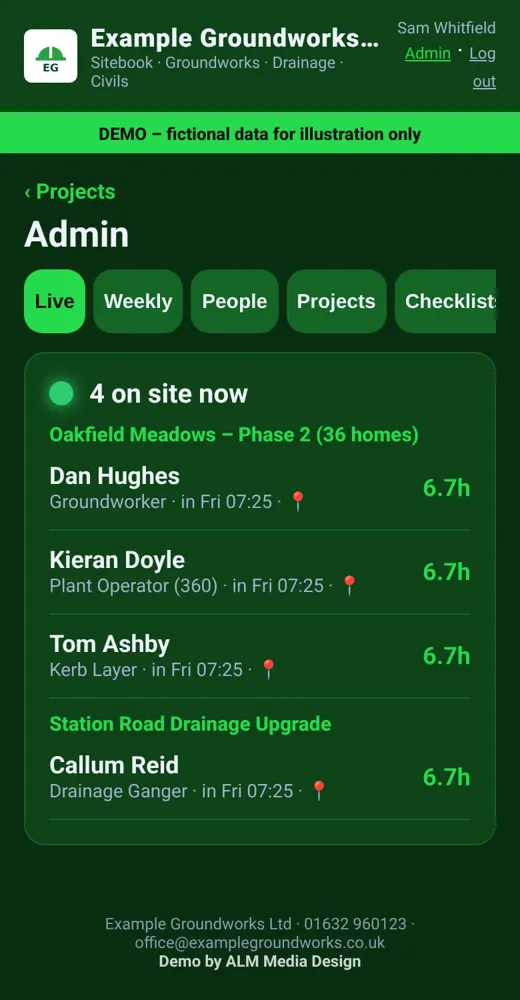
A good construction site diary app turns the diary into something people fill in as they go, on the phone they already carry:
- Quick daily entries with drop-downs and tick boxes for the routine bits (weather, labour, plant), and free text or voice notes for the rest.
- Photos tied to the job, stamped with the date and time and stored by site and area, not lost on someone's camera roll.
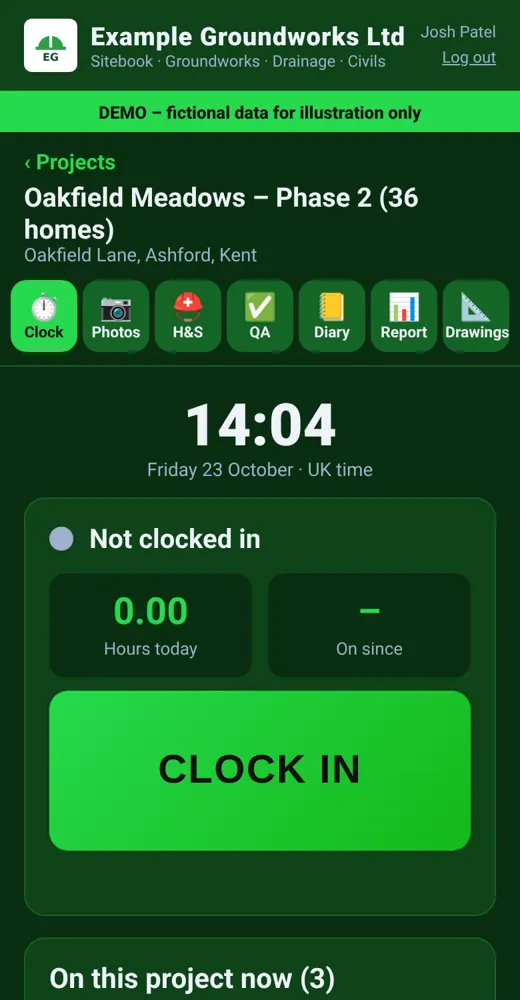
- Clock-in and clock-out. Some apps let operatives clock in from their phone, which feeds the labour section automatically. If you use location checks, tell staff clearly what's recorded and why. The ICO has guidance on monitoring workers. [1]
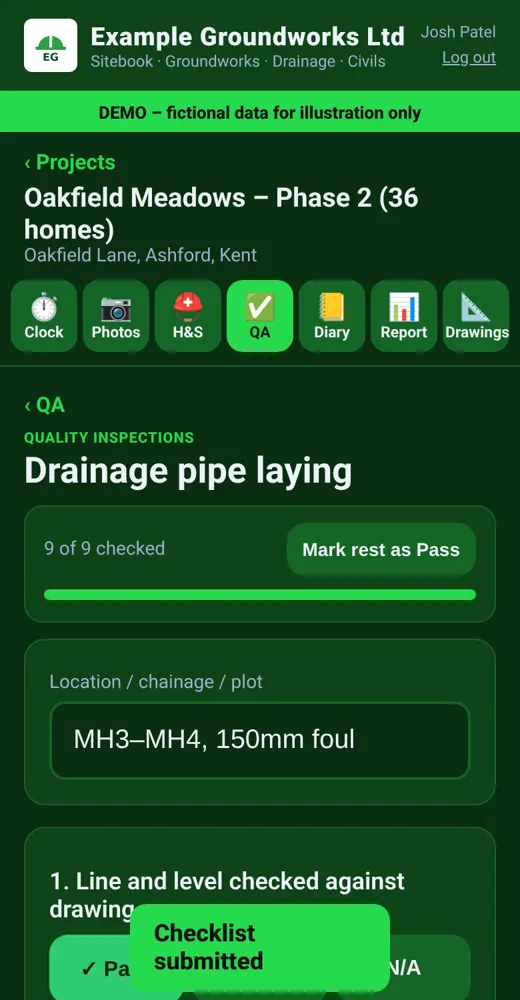
- Checklists for QA, hold points and daily H&S checks, with sign-off and photos.
- One-tap weekly report. The week's diary entries, hours, photos and issues pulled into a single report you can check and send.
What to look for in a site diary app
Plenty of construction apps are out there, from big project-management platforms to simple diary tools. Before you pick one, ask:
1. Will the lads actually use it? If it takes more than a minute or two a day, it won't get filled in. Look for big buttons, few required fields, and something that works with gloves on.
2. Does it work with poor signal? Plenty of sites have patchy mobile data. The app should save entries and photos and sync them later.
3. Does it match how you run a job? Off-the-shelf tools come with their own idea of a site diary. If your QA sheets, hold points or report layout are different, check how much you can change. Otherwise you'll end up keeping paper alongside the app.
4. Can you get your data out? You should be able to export entries and reports, as PDFs at least, so your records don't depend on one subscription.
5. Who sees what? Operatives, supervisors, managers and clients usually need different views. A client might only need the weekly report, not every entry.
6. How does it handle personal data? Names, hours and locations are personal data. Make sure it's stored securely and that staff are told what's collected. [1]
7. What does the weekly report look like? That's the bit your client sees. Ask for a sample.
Off-the-shelf app or one built around your company?
There are two broad routes:
- Off-the-shelf site management software. It's quick to start, and the bigger platforms have lots of features. You fit your process around the software, and there's usually a monthly fee per user or per site.
- A site app built for your company. Your own name and logo, your own checklists, diary fields and report layout, and only the features you need. It takes a little longer to set up, but it fits how your teams already work.
Neither is always right. If your process is fairly standard and you're happy with how a platform works, off-the-shelf is fine. If you keep hitting "we don't do it like that", it's worth seeing what a version built around you would look like.
At ALM Media Design we build construction site apps for contractors across the UK, around the way contractors already work: site diary, clock-in, site photos, RAMS and H&S documents, QA checklists and hold points, programme tracking, and a weekly site report. It started life as an app used on real groundworks and civil engineering sites run by our founder, and we have turned it into a template we can brand and adapt for other firms.
How to switch from paper without a revolt
- Start with one job. Pick a site with a supervisor who's up for it.
- Keep the first version small. Diary, photos and clock-in. Add checklists once the habit has stuck.
- Copy your existing paper forms. People adopt an app faster when the questions look familiar.
- Show them the payoff. When the Friday report builds itself, supervisors stop seeing the app as extra work.
- Run paper and app side by side for a week or two, then drop the paper.
- Ask for feedback after a fortnight and change what's annoying people.
Frequently asked questions
Is a site diary a legal requirement? It depends on your contract and your client. Many contracts and main contractors expect daily records, and a good diary helps with valuations, delays and disputes. Check your contract, and get proper advice if you're unsure.
Can a site diary app work offline? A good one should. Entries and photos are saved on the phone and sync when there's signal again. Ask for this before you choose.
Can operatives clock in on the app? Yes, many site apps include clock-in and clock-out, which can feed the labour section of the diary and weekly hours. If you use GPS or location checks, tell staff what's recorded and why. [1]
Can I keep my own QA and H&S forms? With off-the-shelf tools it depends on how customisable they are. With an app built for you, your existing forms become the checklists in the app.
What happens to our data if we stop using the app? Make sure you can export your diaries, photos and reports, e.g. as PDFs, before you sign up to anything.
Do you work with contractors outside your area? Yes. We work with firms right across the UK. Demos, set-up and training are done online and by video call, so it doesn't matter where your office or sites are.
Can I see one working before I decide? Yes. We'll show you a free demo of a construction site app with your company name and logo, using sample data.
Want to see a site app built around your company?
Tell us how you run your jobs now (paper diary, spreadsheets, WhatsApp, or a mix) and we'll show you a free demo with your branding, plus a free quote. No obligation and no hard sell.
Get a free quote & demo or message us on Facebook.
Sources
- ICO: Employment practices and data protection, monitoring workers.: https://ico.org.uk/for-organisations/uk-gdpr-guidance-and-resources/employment/monitoring-workers/
- Free demo before you payWe show you a working demo with your branding first.
- UK-basedWorking with small businesses and trades UK wide.
- Fixed price, quoted up frontAgreed in writing before any work starts.
- See it before you askBrowse the example demos on this site.
Get a free quote & demo
Tell us about your business and what you need. We work with small businesses and trades UK wide, and we'll come back with a clear fixed quote and, where it makes sense, a free working demo with your own name, logo and colours.